
Every family's details, one search away.
The operational details that usually live in paper forms, inboxes, spreadsheets, and the owner's memory get one home — so running the studio stops depending on you remembering everything. Bring your whole roster over in one paste, then invite each family to their portal.
Families
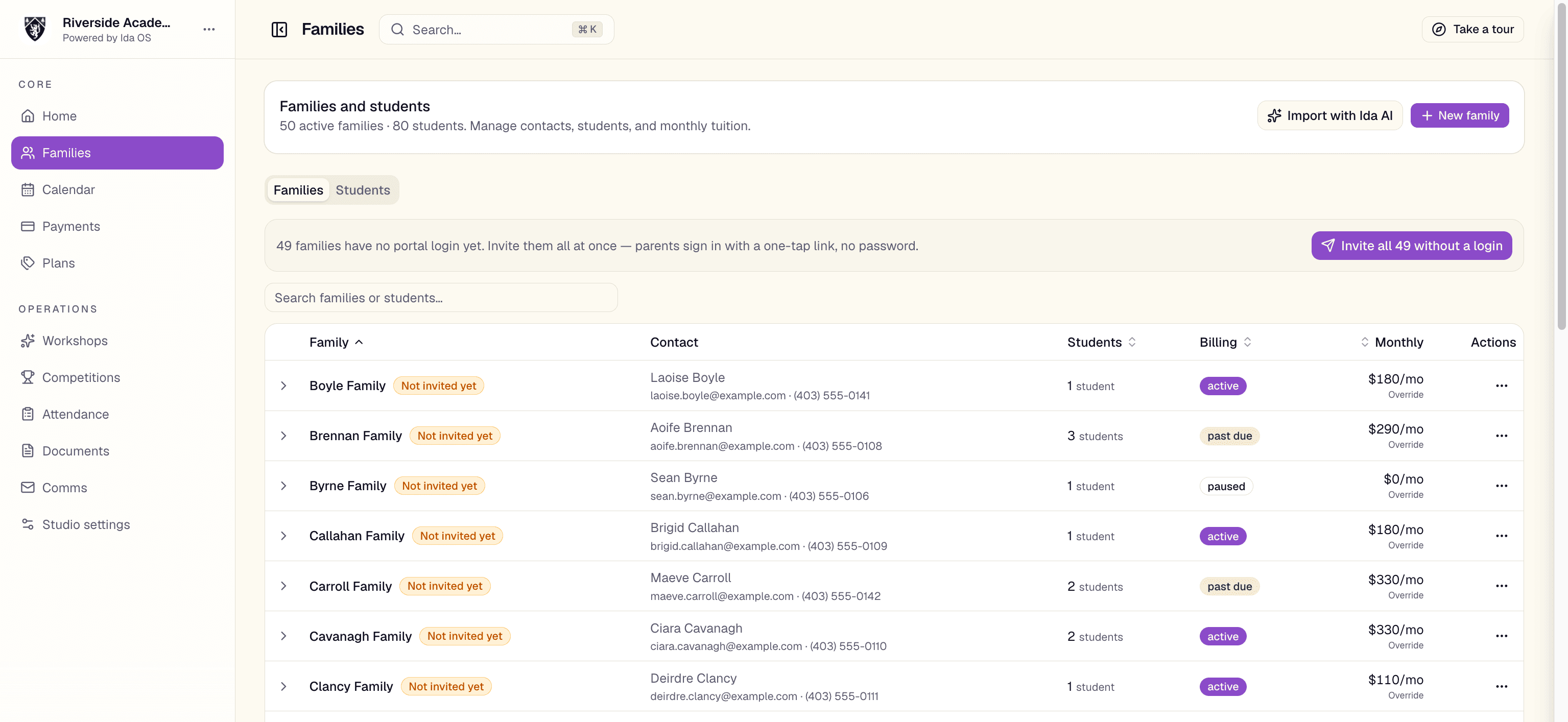
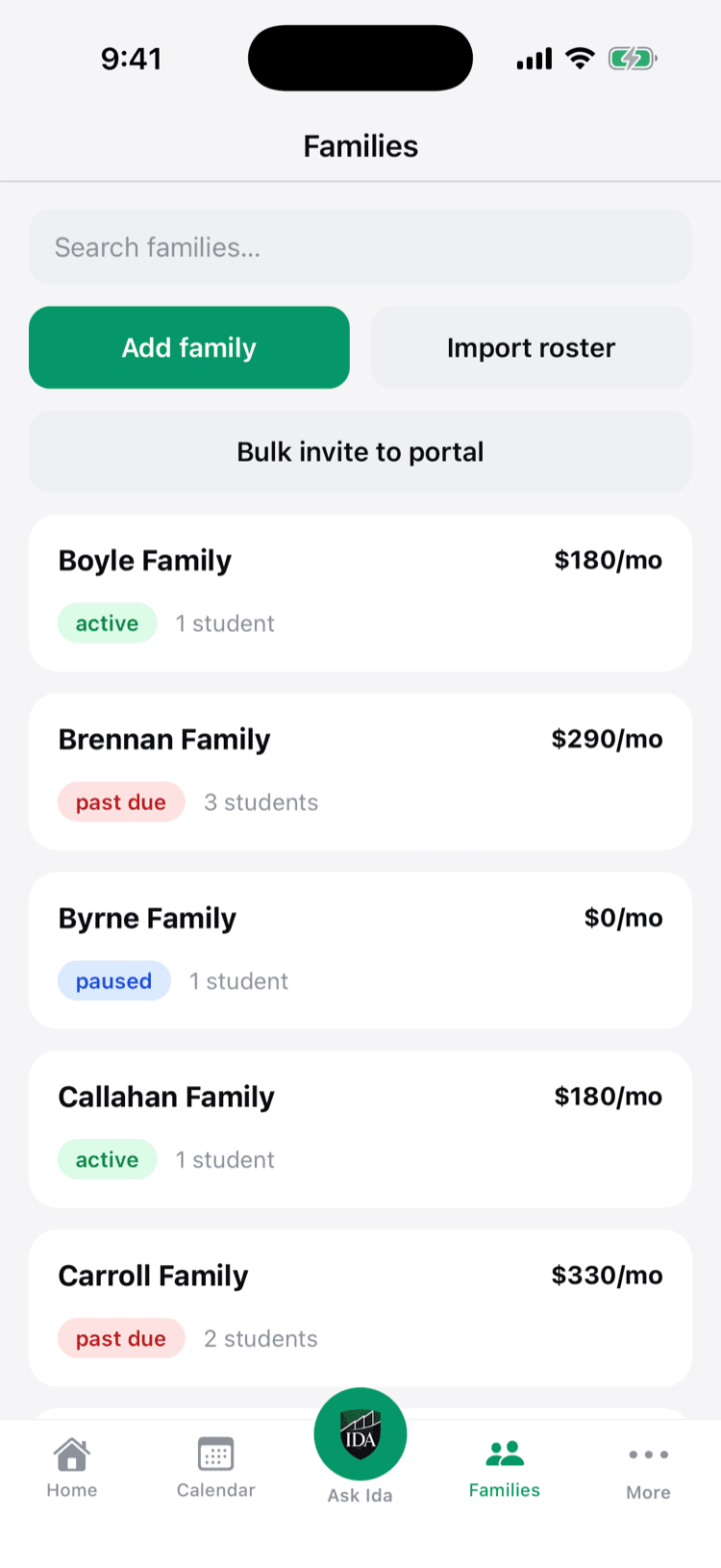
Guardians, students, levels, waivers, and billing status.
MacLeod Family
Olivia · Championship
Byrne Family
Maeve · Beginner
O'Connor Family
Sophie · Novice
Your whole roster, organized for a dance studio.
Guardians, students, levels, waivers, and billing — structured the way studios work.
Stop digging through inboxes and binders.
Every guardian, student, level, waiver, and billing status lives in one searchable place. Open a family and see everything about them — no more cross-referencing a spreadsheet, an inbox, and your memory.
- Active, past due, trialing, or paused at a glance
- Levels, emergency contacts, and guardian details in seconds
- Notes and billing state on every family record
Move your roster in one paste.
Coming from a spreadsheet? Paste or upload it, review the matches on one screen, and your families and students are in — then invite each family to their portal.
- Import families and students without re-typing
- Review and confirm matches on a single screen
- Invite each family with a shareable setup link

Bring instructors in — without opening the books.
Invite each teacher to their own staff login. They get the schedule, family and student rosters, attendance, and documents — but never your revenue, the payments ledger, tuition, or studio settings. And when an instructor is also a dancer at your studio, the same login can book classes and practices for themselves as a family.
- Email a branded invite; instructors set up their own login
- Scoped access — no revenue, payments, or settings
- Dual instructor-and-dancer accounts book for themselves too
See your studio's roster, organized.
Book a demo and we'll import a sample of your families so you can see your own studio in Ida OS.